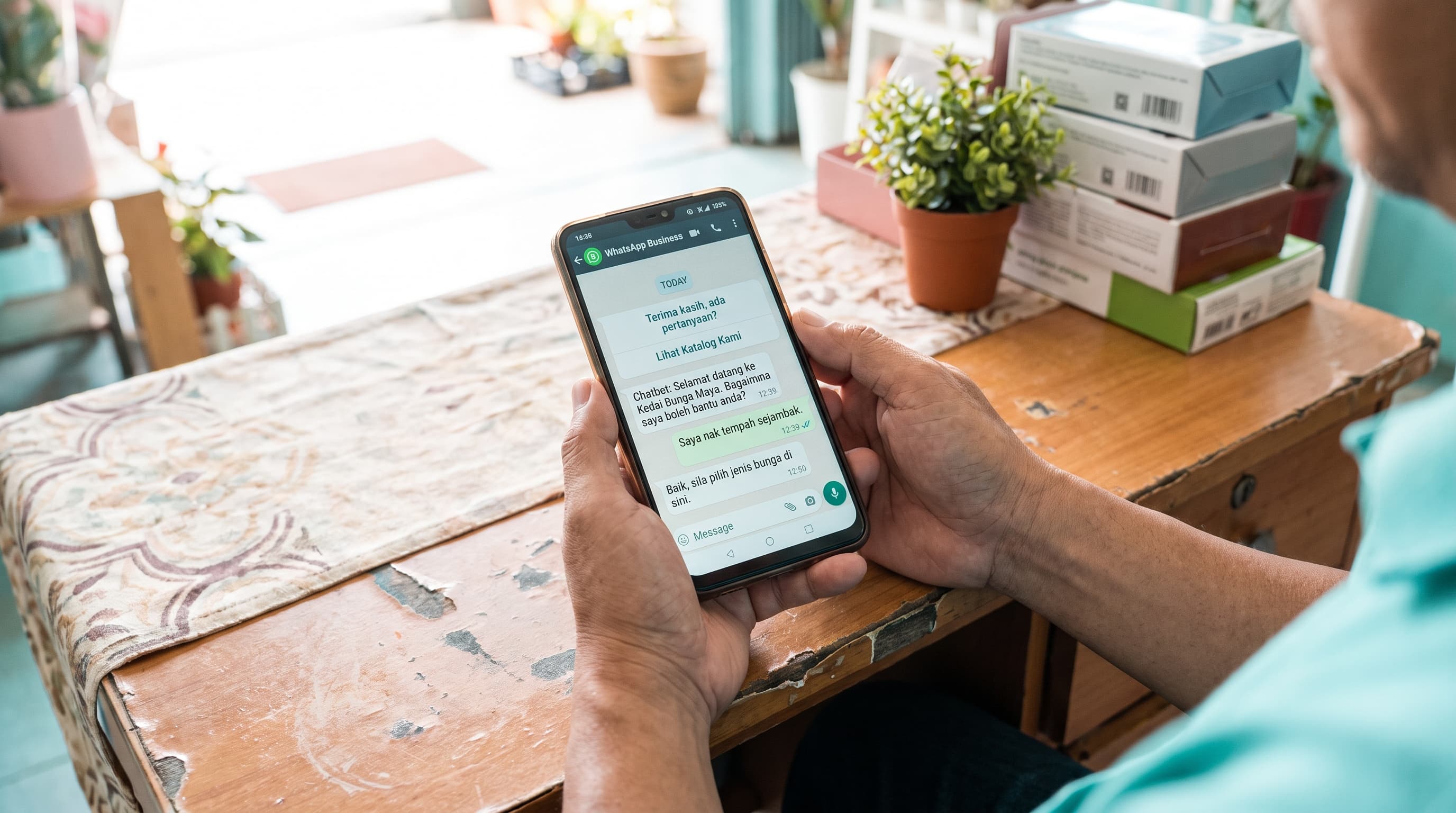
WhatsApp automation for Malaysian businesses
By The pitchdeck.my team
This is the pillar guide for WhatsApp automation in Malaysia. If you run a restaurant in Alor Setar, a resort in Langkawi, a salon in Petaling Jaya, a workshop in Shah Alam, an auto-parts shop in Ipoh, a clinic in Bayan Lepas, or any business where the inbox is the front desk — and you've been Googling "WhatsApp automation Malaysia" or "WhatsApp business API Malaysia" — this is the one read.
We're going to walk through six things, honestly:
- What "WhatsApp automation" actually means in 2026 (and what it doesn't).
- Where WhatsApp automation actually helps a Malaysian SME — 6 specific use cases that work.
- Where WhatsApp automation is NOT the right call (and what to do instead).
- What it really costs a Malaysian SME in 2026, with real RM ranges.
- The 5-step order to deploy WhatsApp automation without burning RM 50,000 on the wrong vendor.
- The PDPA + Meta compliance checklist that Malaysian SMEs keep getting wrong.
No vendor pitch, no "supercharge your customer engagement," no "unlock the power of conversational commerce." Just the framework we use ourselves when a Malaysian business owner asks us the question: "should I automate WhatsApp, or just hire a sharp person with the WhatsApp Business app?"
We answer that question both ways. About half the time the answer is "no — your problem is volume, not response speed, and a RM 1,800/month front-of-house hire is the right answer." The other half the answer is "yes — but for this specific workflow, not for the whole inbox." This guide exists because that honest answer is the difference between a build that pays back and a BSP demo that looked good in the sales call.
If you want to skip the framework and go straight to the case studies that informed it, jump to Real case studies from the field. The three builds linked there are real Malaysian SMEs — Langkawi, Ipoh, Ipoh — and they're the closest thing to evidence we have.
If you'd rather book a 30-minute call to talk through your specific situation, contact us. We don't pitch either way. If the answer is "buy the free WhatsApp Business app and don't touch the API," we'll tell you to do that.
And if you're on the other side of the table — a founder with a working business looking to raise capital, not automate WhatsApp — that's a different platform on this site. You can browse Malaysian businesses raising on pitchdeck.my, or submit your own listing if you've got a business that fits.
What "WhatsApp automation" actually means in 2026 (and what it doesn't)
Let's define the term honestly, because the Malaysian market in 2026 is drowning in vendors that use "WhatsApp automation" to mean things that aren't.
WhatsApp automation is using software to handle WhatsApp conversations that would otherwise require a human at a screen, with or without an AI model in the loop. It's a spectrum, and the Malaysian market is mostly at the bottom of it.
The first thing to understand is the difference between three products that vendors happily call the same thing.
1. The WhatsApp Business app (free). This is the mobile/desktop app most Malaysian SMEs already use. It has built-in quick replies, labels, away messages, and a catalogue. It does NOT support chatbots, API access, or any meaningful automation beyond canned responses and labels. Cost: free. Setup: 10 minutes. Most Malaysian SMEs should start here, full stop.
2. The WhatsApp Business Platform (formerly the WhatsApp Business API). This is the cloud-hosted API that lets you programmatically send and receive messages at scale, integrate with a CRM, build a chatbot, and connect to an AI model. It requires a verified Meta Business account, a phone number that hasn't been used on the regular WhatsApp app recently, and either direct Meta Cloud API access or a Business Solution Provider (BSP) in the middle.
3. Business Solution Providers (BSPs). These are the vendors — WATI, respond.io, SleekFlow, MessageBird, Twilio, and a dozen Malaysian resellers — that sit between you and Meta. The BSP charges a markup on the per-conversation fee, plus a monthly software fee, and (usually) an onboarding fee. Some BSPs are good. Some are not.
The honest ranking for a small Malaysian SME: the WhatsApp Business app is the right tool for ~40% of businesses, the API direct from Meta is the right tool for ~10% (the ones with an internal dev team), and a BSP is the right tool for the remaining ~50% — but only a good one, and only after the business has validated the workflow at app-level first.
The second thing to understand is the three tiers of automation, regardless of which product you use.
Tier 1: Canned replies and away messages. Pre-written responses triggered by keywords or "out of office" hours. No AI. No decision-making. The bot does the same thing every time someone types the same keyword. Useful for "we're closed, we'll reply tomorrow" and "yes, we have that, here are the prices." This is the floor.
Tier 2: Rule-based chatbots. Visual flow builders (Voiceflow, Botpress, respond.io's Flow Builder, SleekFlow's automation builder) that route conversations through decision trees. The bot asks a question, the user picks a button, the bot follows the next branch. No AI, but a lot more capability than canned replies. Useful for booking, FAQ triage, order status, lead capture. The next step up.
Tier 3: AI-powered chatbots. An LLM (Claude, OpenAI, Gemini) sits behind the flow and handles the open-ended parts of the conversation. The flow handles the structured parts (capture a name, capture a date, route to the right human). The AI handles the messy parts ("can I check in at 2am with a baby and a small dog?"). This is the Langkawi concierge and Ipoh kopitiam agent pattern. The most powerful, the most expensive, the most over-sold.
What WhatsApp automation is NOT:
- It is not the green tick. The Meta Verified badge (the green tick next to your business name) has nothing to do with automation. It's a brand-trust signal, costs roughly RM 250 – RM 1,500/month depending on region, and is sold by Meta directly. BSPs that charge a "green tick setup fee" are reselling Meta Verified at a markup. There is no AI, no automation, no chatbot involved. If a vendor sells you "the green tick + AI agent" as one bundle, they're conflating two different products.
- It is not a magic sales channel. WhatsApp automation doesn't generate leads. It handles the leads you already have, faster. If your business has no inbound WhatsApp, no automation will create it.
- It is not a replacement for bad products or bad service. A restaurant that gets 1-star reviews won't be saved by an AI chatbot. The bot will just deliver the bad news faster.
- It is not a one-click "WhatsApp transformation." The same way AI isn't a one-click transformation (we covered this in the AI pillar), WhatsApp automation isn't either. Real deployments take 4-8 weeks, need clean contact data, and require someone on the team to own the system after handover.
The honest spectrum, most common to least common in Malaysia in 2026:
- WhatsApp Business app + good operational habits — labels, quick replies, away message, team training. Free. 70% of Malaysian SMEs should be here. The single biggest ROI move most SMEs can make is NOT an automation tool — it's teaching the existing team to use the app properly.
- WhatsApp Business app + a simple Make.com or n8n flow — the app stays the same, but a no-code automation watches for new messages and routes them based on keywords. Free to RM 200/month. Good for the 15% of SMEs that need a small routing layer without paying for a BSP.
- WhatsApp Business API via a BSP + rule-based chatbot — WATI, SleekFlow, respond.io, or similar, with a Visual Flow Builder doing FAQ and booking. RM 500 – RM 2,500/month. Good for the 10% of SMEs with enough volume to justify the cost.
- WhatsApp Business API + an AI agent — same BSP or direct API, but with an LLM in the loop for open-ended conversations. RM 800 – RM 5,000/month including API costs. Good for the 5% of SMEs with the volume AND the workflow complexity to need it (Langkawi-scale hospitality, multi-outlet F&B, B2B services with long WhatsApp threads).
The mistake most Malaysian SMEs make isn't choosing the wrong tier. It's choosing tier 3 or 4 when tier 1 would have done the job fine, because a BSP sold them on "AI agents" and "conversational commerce." The dream is real — but only for the businesses that actually need it. The other 70% would have been better off with the free app, a sharp front-of-house person, and 30 minutes of team training on labels and quick replies.
The mistake in the other direction is choosing tier 1 (just the app) when the business has a workflow the app genuinely can't model — a 32-room Langkawi resort with 30+ messages at 2am, a 3-outlet Ipoh kopitiam group drowning in reorders, a Bayan Lepas clinic with 80% of bookings coming in on WhatsApp. The app gets the team 80% of the way, then the business starts dropping balls because the inbox is unmanageable, and the team ends up answering the same 5 questions 40 times a day.
The job of this guide is to help you figure out which side of that line your business is on.
Where WhatsApp automation actually helps a Malaysian SME (the 6 specific use cases that work)
There are a handful of WhatsApp workflows where automation is genuinely the right call for a Malaysian SME. Not because automation is fashionable, but because the alternative — a human on a phone 16 hours a day, or a SaaS that doesn't fit Malaysian customer behaviour — is expensive or doesn't work. Here's the list, in the order we'd usually deploy them.
1. Booking and reservation capture (the Langkawi pattern).
This is the clearest win, and it's where the Langkawi resort case study lives. A 32-room Langkawi resort was getting 30+ WhatsApp messages a day asking the same 5-6 questions ("do you have rooms for the 28th?", "is breakfast included?", "can I check in early?", "do you do airport pickup?"). The front-of-house team was answering them from 8am to 10pm, dropping balls at night, and the owner was getting woken up at 2am with booking questions.
The automation now handles 80% of those messages end-to-end, including during the owner's sleep hours. The bot checks availability, quotes a rate, captures the booking, sends a confirmation, and only routes to a human when the question is genuinely outside the menu. The result: the front-of-house team focuses on guests in the building, the owner sleeps, the conversion rate on WhatsApp leads is up.
This also works for: any F&B with a WhatsApp booking line, any clinic with WhatsApp-first appointment scheduling, any salon, any service business with a "when's the next slot?" inbox.
2. Reorder capture (the Ipoh kopitiam pattern).
This is the second clearest win, and it's where the Ipoh kopitiam case study lives. A 3-outlet Ipoh F&B group was getting 40+ reorder messages a day on WhatsApp — "do you have the kaya pau for tomorrow?", "can I get 2 boxes of the durian kuih for Saturday?", "do you have the sambal udang for 30 pax?". The team was missing roughly 20% of the reorders because the inbox was unmanageable, and the missed reorders added up to RM 18,000/month in lost revenue.
The AI agent now handles the 40+ reorders end-to-end — captures the item, captures the date, captures the outlet, confirms the order, sends a confirmation, routes the genuinely complex ones to a human. The reorder capture rate went from 80% to 100%. The team is no longer the bottleneck.
This also works for: any retail with a WhatsApp ordering line, any B2B with a "can I get 10 more of the same thing as last month?" flow, any F&B with a daily prep-volume problem.
3. Customer service triage (the "stop the team from drowning" pattern).
This is the softesttshirt of the six, but it's the one most Malaysian SMEs can start with today without spending RM 30,000. Take the WhatsApp inbox that's killing your front-of-house team, route it through a simple classifier (Claude API, Gemini API, or a free-tier wrapper through Make.com), and have the AI draft the response. The human reviews and sends. Time saved: 1-3 hours/day per team member. Cost: RM 50 – RM 300/month in API bills.
The pattern is "AI for the first 80%, human review for the next 15%, manual for the last 5%." The Ipoh boutique hotel's team does this today — the AI drafts the reply to the 5 most common questions (room rates, check-in time, parking, breakfast, airport transfer), the human reviews and sends. The team's response time dropped from 4 hours to 8 minutes, and the team actually enjoys their job again.
This isn't a custom build. It's an afternoon of setup with a no-code tool. The national service page — AI chatbot at pitchdeck.my — covers the productionised version, but the morning-after version is just an LLM and a Make.com flow.
4. Lead capture and qualification (the "stop losing the WhatsApp leads" pattern).
Many Malaysian SMEs are sitting on a WhatsApp Business inbox that is the primary lead channel — a property agent, a tuition centre, a wedding planner, a B2B services firm — and the team is missing 30% of the leads because the inbox is unmanageable. The lead comes in at 9pm, the team replies at 11am the next day, the lead has already engaged with a competitor.
The automation watches the inbox, captures the lead (name, what they're looking for, when they're looking for it), routes it to the right salesperson, and sends a "we'll be in touch within X hours" auto-reply. The lead gets an instant acknowledgement, the salesperson gets a clean CRM entry, and the business stops losing leads to response time.
5. Order status updates (the "stop the customer calling to ask" pattern).
A retail shop, an e-commerce seller, a F&B with delivery, a B2B distributor — anywhere the same customer message ("where's my order?") comes in 30+ times a day, the right answer is automation. The order status update template (a structured WhatsApp message) gets sent automatically when the order status changes in your POS / Shopify / WooCommerce / custom system. The customer gets a real-time update. The team stops answering the same question 40 times a day.
6. Payment reminders (the B2B / invoicing pattern).
A Malaysian B2B services firm with RM 200,000+ in outstanding invoices is usually sitting on RM 50,000+ that is overdue because nobody wants to make the awkward phone call. The automation sends a polite WhatsApp reminder 3 days before the invoice is due, a firmer reminder on the due date, and a final reminder 7 days after. The team only gets involved when the customer actually disputes the invoice or the automation can't reach them. Cost: RM 200 – RM 800/month. Recovered revenue: often 5-10x the cost.
What's NOT on this list (and why):
- WhatsApp automation for marketing blasts. Meta's Commerce Policy is explicit — promotional messages to customers who haven't opted in get your number banned. The right channel for marketing blasts is still email, SMS, or Meta Ads. The WhatsApp commerce policy is the source of truth; read it before you blast.
- WhatsApp automation for "AI customer service" that replaces a human team. The 5% of cases where a chatbot should handle 100% of conversations are vanishingly small. The right pattern is always AI + human, not AI only.
- WhatsApp automation for "conversational commerce" with no existing relationship. You can't cold-message a stranger on WhatsApp and sell them something. The platform isn't built for it, Meta will ban you, and the conversion rate is near zero.
Where WhatsApp automation is NOT the right call (and what to do instead)
About half the time a Malaysian SME asks us about WhatsApp automation, the right answer is "not yet" or "not for this." Here are the four situations where automation is the wrong tool, in the order they show up in our discovery calls.
1. The business is small enough that the human is the automation.
If your counter staff handle 20 customer messages a day, you don't need a WhatsApp bot. You need a better folder structure in the app and a 30-minute team training on labels and quick replies. Automation scales human effort; it doesn't replace it at 20 messages/day. The break-even for a meaningful WhatsApp automation is usually around 80-100 messages/day on the same channel, or a clear seasonal spike (Langkawi's December-March, Ramadan for F&B, Chinese New Year for hospitality).
If your answer to "do I need WhatsApp automation?" is "we're drowning in messages" but the actual count is 15-30/day, the right first move is to hire a part-time front-of-house person, not deploy a bot. The person costs RM 1,800 – RM 2,500/month. The automation costs RM 1,000 upfront + RM 500 – RM 2,500/month. The person is more flexible. The automation is more scalable. Pick the right tool for the actual volume.
2. The data quality is bad.
This is the silent killer of WhatsApp automation deployments. A bot trained on inconsistent, incomplete, or wrong data produces confident-sounding wrong answers. We've seen it in:
- Booking bots that book the same room twice because the calendar sync is broken.
- Reorder bots that confirm the wrong item because the menu data is outdated.
- Lead capture bots that drop the lead's name because the contact form is optional and 40% of customers skip it.
- Triage bots that route "I want to cancel" to the sales team because the routing rules were never updated.
The right first move is a 1-2 week data cleanup. The Langkawi resort spent 2 weeks cleaning the room inventory data, the rate data, and the FAQs before the bot was built. The Ipoh kopitiam spent 1 week rebuilding the menu data and the outlet hours. The automation was the easy part. The data was the hard part.
If your business can't answer "how clean is our contact list, on a 1-5 scale?" with at least a 3, the automation deployment is going to fail and you're going to blame the bot. The honest read: most Malaysian SMEs sit at a 1 or 2 on data quality. The right move is to fix that first, then look at automation.
3. The workflow needs a human touch.
WhatsApp automation is a scale play. It handles the repetitive 70-80% of conversations so the team can spend more time on the 20-30% that matter. But if your business model is "every customer gets a 20-minute personal conversation" (a high-end wedding planner, a bespoke tailor, a luxury concierge service), automation will erode the thing that makes your business valuable. The right answer is to keep the humans, train them better, and let the bot handle the 5% of messages that don't need a human.
The Langkawi resort's bot is automation-first because the resort's product is a room, not a relationship. A 32-room property with 60%+ occupancy has a different workflow than a 4-suite boutique guesthouse where the owner knows every guest by name. The same automation that works for the resort will actively damage the guesthouse.
4. The alternative is a simple WhatsApp Business app setup.
If the WhatsApp Business app genuinely does the job, the API version of the same product is overkill. Examples:
- Canned replies + labels + away message + 30-min team training — handles 60-70% of small-business WhatsApp workflows. Free. RM 0 vs RM 30,000 over 12 months.
- WhatsApp Business catalogue + status updates — for any retail or F&B that wants a "look at our menu / shop" surface inside WhatsApp itself. Free. No API needed.
- WhatsApp Business app + a Make.com flow for the 5% of messages that need routing — handles 80% of "small business + some automation." RM 0 – RM 200/month. RM 2,400/year vs RM 30,000.
The 20% that the app doesn't handle is the only place a BSP or custom build earns its place. If you can live with the app's 20%, don't build.
The honest cost: WhatsApp automation for a Malaysian SME in 2026
No BSP publishes their actual price list, so the market is full of "it depends" answers. Here's what it actually depends on, with real RM ranges from the builds we've done in 2025-2026.
Tier 1: WhatsApp Business app + good operational habits. RM 0 – RM 500 one-time.
Examples: 30 minutes of team training on labels, quick replies, away message, and catalogue setup. A printed cheat sheet on the wall. A weekly 5-minute inbox review. Maybe RM 200 for a freelance VA to do the initial setup. Free to RM 500 one-time, RM 0/month ongoing.
This is where most Malaysian SMEs should start. Not with a RM 30,000 BSP build. With the free app and a 30-minute team training. The Langkawi resort's first "automation" was at this scope — a sharp front-of-house person with quick replies for the 10 most common questions, before the AI concierge was ever built. The Ipoh kopitiam's first automation was at this scope — labels for "new order / confirmed / delivered," away message, quick replies for the menu, before the AI agent was built. Both are good Tier 1 candidates.
If you want to see what Tier 1 looks like in your state, the state-level pages — AI chatbot in Selangor, Kuala Lumpur, Kedah, Penang, Perak, Johor — give you the local market angle.
Tier 2: A WhatsApp Business API build via a BSP. RM 5,000 – RM 50,000 one-time + RM 500 – RM 2,500/month.
Examples: a booking flow + FAQ chatbot for a hospitality business, a reorder capture flow for a multi-outlet F&B, a lead capture + CRM routing flow for a B2B services firm. 4-8 weeks. One BSP or one agency. Paid monthly over 6-12 months at roughly RM 800 – RM 4,000/month all-in (BSP fee + API + setup amortised).
This is the right scope when the WhatsApp Business app genuinely can't handle the workflow, but the build is still scoped enough to ship in one release. Most of the SMEs we work with fall here. The Ipoh boutique hotel's direct-booking flow is at this scope. The Ipoh kopitiam's reorder agent is at this scope. The Langkawi concierge started here. The national service page — AI chatbot at pitchdeck.my — gives the cross-state view of how Tier 2 WhatsApp builds are typically structured.
Tier 3: A larger AI-powered WhatsApp platform with integrations. RM 50,000 – RM 200,000+.
Examples: a multi-channel AI (WhatsApp + Instagram DM + web chat + email) in one queue, a multi-property AI concierge for a hotel group, a WhatsApp AI integrated with the PMS / POS / CRM / ERP. 3-6 months. One agency, 2-4 developers, one project manager, one AI engineer. Paid monthly over 12-24 months.
This is the scope where a Malaysian SME is essentially building a product, not a tool. It's also the scope where the failure rate is highest, because the business usually hasn't yet validated the underlying workflow at a smaller scale. The Langkawi resort's concierge, with a few thousand monthly conversations and integrations to the PMS and payment gateway, is right at the boundary of tier 2 and tier 3.
What the price includes (and doesn't):
The RM amounts above include discovery (1-2 weeks of studying your business, your inbox, and your workflow), the build itself, the BSP setup or the Meta Cloud API setup, UAT (user acceptance testing) with your team, deployment, training, and a 30-to-90 day post-handover review. They do NOT include:
- Ongoing BSP / API fees after the post-handover period. Meta charges per-conversation. BSPs add a markup. The Meta pricing in 2026 is roughly RM 0.20 – RM 1.50 per conversation depending on the template type and the region. A typical 1,000-conversation/month business pays RM 200 – RM 1,500/month in Meta fees alone, before the BSP markup. The Ipoh kopitiam at 1,500 conversations/month pays roughly RM 350/month in Meta fees + RM 800/month for the BSP + tooling.
- The cost of cleaning your data first. Most WhatsApp automation deployments need 1-2 weeks of data cleanup BEFORE the build starts. The Langkawi resort spent 2 weeks cleaning the room inventory, the rate data, and the FAQ. The Ipoh kopitiam spent 1 week rebuilding the menu. This time is usually on you, not the BSP or agency.
- The cost of training the team to actually use the system. A WhatsApp bot that the team doesn't trust gets bypassed. The team training is usually 4-8 hours of structured time, plus 2-4 weeks of "use it, give feedback, we'll iterate." This time is on you.
- The cost of changing your own internal processes to use the bot. This is the hidden cost most BSPs don't price. The Ipoh boutique hotel's front-of-house team spent 20-30 hours in the first 60 days adapting their workflow to the bot's "bot-first, human-escalation" pattern. That time was on the hotel, not on us.
- Future feature work. The bot you ship in month 3 is rarely the bot you want in month 12. Plan for a Phase 2 of roughly 30-50% of the Phase 1 cost, 6-12 months after go-live, to add new flows, retrain on new conversations, and upgrade to the next generation of underlying models.
Two cheap tells about whether a BSP or agency is being honest with you:
If the quote is a single number with no breakdown, walk away. The breakdown should clearly separate BSP fees, API costs, build, deployment, and post-handover. A 200-word breakdown of "we'll do this in 6 weeks for RM 25,000" is fine. A one-line "RM 25,000 for a WhatsApp AI agent" is a tell.
If the BSP or agency can't show you a working demo of the specific flow they're proposing (built on the same BSP, with a similar workflow to yours), walk away. The right answer is "we'll build you a 2-week prototype on a sandbox number before we commit to the full build." The wrong answer is "trust us, the bot is great."
The hidden cost nobody talks about: the BSP markup.
Meta's direct API pricing in 2026 is roughly RM 0.20 – RM 1.50 per conversation. BSPs typically charge RM 0.50 – RM 3.00 per conversation, plus a monthly platform fee of RM 200 – RM 1,500, plus a one-time onboarding fee of RM 500 – RM 5,000. The total markup over Meta direct is usually 2-3x. For a 5,000-conversation/month business, that's RM 1,500 – RM 4,500/month in BSP markup alone.
The right pattern: for very small deployments (under 500 conversations/month), the BSP is the right call because the direct API requires dev resources. For medium deployments (500-5,000 conversations/month), the BSP markup starts to bite — consider Meta direct with a small agency's help. For large deployments (5,000+ conversations/month), Meta direct is almost always the right call.
The 5-step deployment order (the order to deploy WhatsApp automation in your business)
The most common failure mode in Malaysian WhatsApp automation isn't the bot. It's the order. Businesses that should be at step 1 are paying for step 4. Businesses that should be at step 3 are skipping to step 5. Here's the order, and what each step looks like in practice.
Step 1: Fix your operational habits on the WhatsApp Business app.
Before you pay a BSP a single ringgit, your business needs to be using the WhatsApp Business app properly:
- Labels set up — every conversation tagged by status (new, in progress, confirmed, completed, lost). The team can see the pipeline at a glance.
- Quick replies configured — for the 10-20 most common messages ("hi, how can I help?", "we have it, here are the prices", "yes, we can do that for [date]"). Saved 5-15 seconds per message.
- Away message set — so the customer gets a "we'll reply within X hours" instead of being left on read at 11pm.
- Catalogue populated — for any retail or F&B, so the customer can browse without a back-and-forth.
- Team training done — a 30-minute session on how to use the app, what the labels mean, where the quick replies are, who owns what.
This is the unglamorous step. Most businesses skip it. The right first move is a 1-2 week sprint to set up the app properly, train the team, and get 2-4 weeks of labelled conversation history that you can analyse. If you can't do this step, you don't have a WhatsApp automation project, you have a team-training project.
Step 2: Pick ONE workflow.
The biggest failure mode in Malaysian WhatsApp automation is "we want to automate the whole inbox." That sentence is the death of the project. Automation works best when it's scoped to one specific workflow with a measurable success metric. The Langkawi WhatsApp concierge was scoped to one workflow: respond to WhatsApp booking inquiries. The Ipoh kopitiam agent was scoped to one workflow: capture reorders. The Ipoh boutique hotel was scoped to one workflow: capture direct booking inquiries that would otherwise go to Agoda.
The right question to ask: "What is the single workflow in our business where automation would recover RM 5,000/month or save the team 10 hours/week?" If the answer is "everything" or "I don't know," you're not ready for automation. If the answer is "the booking inbox" or "the reorder capture rate" or "the response time on leads," you have a project.
Step 3: Validate with a no-code prototype.
Before committing to a RM 25,000 build, spend 1-2 weeks on a no-code or low-code prototype. The right tools for this depend on the workflow:
- For FAQ / customer service triage: The free WhatsApp Business app + 20 quick replies + 5 saved messages, tested for 2 weeks on real conversations. Cost: RM 0.
- For booking / reservation flows: Voiceflow or Botpress free tier, connected to a WhatsApp sandbox, with a 3-4 step booking flow. Cost: RM 0 – RM 500/month.
- For lead capture / routing: Make.com or n8n + the WhatsApp Cloud API (free tier) + a Google Sheet as the CRM. Cost: RM 0 – RM 200/month.
- For AI-powered replies: Claude API or OpenAI API in a Make.com flow, with the AI drafting replies that a human reviews and sends. Cost: RM 50 – RM 300/month in API bills.
The prototype is throwaway. Its job is to validate that automation is the right tool for this workflow, not to be the production system. If the prototype works, you have evidence to justify the real build. If it doesn't, you've spent 2 weeks and RM 500 instead of 8 weeks and RM 25,000.
Step 4: Build.
Now — and only now — do you build the production system. This is the 4-8 week, RM 5,000 – RM 50,000 phase. The build should follow the standard custom software process — discovery, spec, build, UAT, deploy, post-handover. The WhatsApp-specific additions are: BSP onboarding (or Meta Cloud API setup), template message submission and approval, conversation pricing setup, and a clear plan for monitoring opt-out rates and Meta policy compliance.
Step 5: Measure.
WhatsApp automation projects without a measurement plan are the ones that "feel good but don't pay back." The right measurement is a single number, agreed before the build starts, that the automation moves. Examples:
- "Reorder capture rate goes from 80% to 100%." (Ipoh kopitiam)
- "Direct booking conversion on WhatsApp goes from 0% to 15%." (Ipoh boutique hotel)
- "WhatsApp response time goes from 4-8 hours to under 5 minutes." (Langkawi)
- "Front-of-house time on WhatsApp drops from 3 hours/day to 30 minutes/day." (generic F&B)
- "Lead response time goes from 11 hours to under 15 minutes." (B2B services)
If you can't put a number on the success criterion before the build, don't build. The number is what tells you, 90 days after go-live, whether the automation is paying for itself.
The failure mode: automating everything at once.
The pattern is always the same. A Malaysian business owner sees a competitor's "AI WhatsApp agent" LinkedIn post, calls a BSP, gets a RM 80,000 quote for "AI across all channels," signs the contract, and ends up with a half-built bot, a frustrated team, and a budget that's already blown. The BSP moves on to the next pitch. The business is stuck with the bot.
The right move is the opposite. One workflow. One number. One build. Then the next. The Ipoh kopitiam did reorder capture. Then they did booking. Then they did catering inquiry. Each as a separate project with a separate success metric. That's how Malaysian SMEs should deploy WhatsApp automation — one workflow at a time, with the operational habits ready before the build starts.
The PDPA + Meta compliance checklist that Malaysian SMEs keep getting wrong
This is the section most "WhatsApp automation Malaysia" guides skip, and it's the one that gets your business number banned. The Personal Data Protection Act 2010 (PDPA) and Meta's WhatsApp Commerce Policy both apply to every WhatsApp automation deployment in Malaysia. The fines for getting it wrong are real (PDPA fines up to RM 500,000; WhatsApp bans are permanent). Here's the checklist, in the order to use it.
1. Get explicit opt-in before you message anyone (PDPA + Meta).
The single most common mistake. Malaysian businesses get the customer's phone number from a walk-in, an order form, a booking, or a website form, and assume that counts as opt-in for WhatsApp marketing. It doesn't. Under PDPA, the customer's consent must be specific, informed, and unambiguous. Under Meta's policy, you can only message customers who have explicitly opted in to receive WhatsApp messages from your business.
The right pattern: at the point of data capture, the customer ticks a box (or types "yes") saying "I agree to receive WhatsApp messages from [your business name] about [specific topic — orders, bookings, support]." Save the timestamp and the opt-in method. If you can't prove opt-in, you can't message the customer.
The right template language: "By submitting this form, you agree to receive order updates and customer service messages from [Business Name] on WhatsApp. You can opt out at any time by replying STOP." Get this language reviewed by a Malaysian lawyer if you're handling high-value data.
2. Honour opt-out immediately (PDPA + Meta).
If a customer replies STOP, UNSUBSCRIBE, CANCEL, or any clear opt-out signal, you must stop messaging them within 24 hours. Most BSPs handle this automatically — the customer's number is added to a suppression list, and no future template messages go out. Test it. Verify it. Don't assume the BSP is doing it right.
If you keep messaging customers who have opted out, Meta will warn you once, ban you on the second violation, and ban your business number permanently. There is no appeal. We've seen a Malaysian retail business lose 18 months of customer contact data because the owner didn't realise the BSP wasn't honouring opt-outs.
3. Use template messages for any non-user-initiated conversation (Meta).
Meta's policy is explicit: the first message a business sends to a customer must be a free-form message that responds to something the customer said OR a pre-approved template message. You cannot send free-form promotional messages to customers who haven't messaged you in the last 24 hours. The template messages must be submitted to Meta for approval, and the approval is per-template, per-language, per-region.
The right pattern: for any proactive message (order update, booking confirmation, payment reminder, delivery notification), use a pre-approved template. Keep the templates boring and transactional — Meta rejects templates that look promotional. "Your order #1234 has shipped" is approved. "Don't miss our weekend sale!" is rejected.
4. Respect the 24-hour service window (Meta).
When a customer messages you, you have 24 hours to send free-form messages in response. After 24 hours, you can only send pre-approved template messages. This is Meta's anti-spam policy. The right pattern: track the 24-hour window in your BSP, and switch to templates for any proactive message after the window closes.
The Ipoh kopitiam's bot sends free-form messages for 24 hours after the customer's last inbound message, and switches to template messages for "order ready" notifications after that. The pattern is operational, not technical — the team's process is "if no reply in 24 hours, switch to templates."
5. Store the data in a way that complies with PDPA's data protection principles.
PDPA requires that personal data be:
- Processed lawfully and fairly — opt-in is the "lawfully" part; transparent privacy policy is the "fairly" part.
- Collected for a specified purpose — "to send order updates on WhatsApp" is a specified purpose. "For marketing purposes" is not specific enough.
- Accurate and up-to-date — if the customer changes their phone number, update your records.
- Not retained longer than necessary — if the customer hasn't ordered in 24 months, delete their data.
- Kept secure — access controls, encryption, breach notification process.
If you're using a BSP, the BSP stores the data on Meta's infrastructure (which is compliant), but YOU are the data controller. The BSP is the data processor. The PDPA obligations are still yours. Read the BSP's data processing agreement. If they don't have one, find another BSP.
6. Disclose the use of personal data in your privacy policy (PDPA).
Your privacy policy must disclose:
- What personal data you collect.
- The purpose for which you collect it.
- Who you share it with (the BSP, Meta, etc.).
- How long you retain it.
- How the customer can access, correct, or delete their data.
- How the customer can opt out of WhatsApp messages.
If your privacy policy doesn't mention WhatsApp, it needs to. Update it before you deploy the bot. The standard Malaysian privacy policy template from the PDPA commissioner is a good starting point; get it reviewed by a lawyer if you handle high-value data.
7. Have a breach notification process (PDPA).
PDPA requires you to notify the Personal Data Protection Commissioner AND the affected customers of any data breach that causes significant harm. The notification must happen "as soon as practicable." If you have a breach response plan, the response is faster. If you don't, the response is slower and the fine is larger.
The right pattern: a one-page breach response plan that names the person responsible, the lawyer to call, the communication template for customers, and the technical steps (revoke access, change credentials, audit logs). Print it. Put it in a folder. Hope you never need it.
The honest summary:
Compliance isn't optional. The businesses that skip the opt-in step, ignore the 24-hour window, or store data insecurely are the ones that get banned or fined. The good news is that compliance is operational, not technical — it's about your team's process, not the bot's code. Set up the process right, train the team, audit quarterly, and you're fine. The detailed guide on the PDPA from the Malaysian Personal Data Protection Commissioner is the source of truth; read it before you deploy.
Real case studies from the field
This guide is built from the same body of work as the case studies below. Each is a real Malaysian SME, an anonymised but specific business profile, the build we shipped, the numbers, and the honest read of what worked and what didn't.
If you're evaluating whether to automate WhatsApp, these are the closest thing to evidence we have.
-
How a Langkawi beach resort replaced its 4 separate booking systems with a single WhatsApp concierge — AI chatbot for a 32-room Langkawi resort that was running 4 separate booking systems (Agoda, Booking.com, a legacy PMS, and the owner's personal WhatsApp). The clearest case study for "consolidation beats features" — the win was removing systems, not adding them. Tier 2 build, RM 15,000 – RM 60,000.
-
How a 3-outlet Ipoh kopitiam group added RM 18,000/month in recovered reorders with a WhatsApp-first AI agent — AI chatbot + WhatsApp automation for a 3-outlet Ipoh F&B group. The clearest case study for the question "is WhatsApp automation the right call, or is it a buzzword?" The answer here was yes — but for a specific workflow (reorder capture), not for the whole inbox. Tier 2 build.
-
How an Ipoh boutique hotel doubled direct bookings by replacing its OTA-only website with a custom direct-booking site — Custom web design + WhatsApp booking flow for an 18-room Ipoh heritage hotel that was paying 18% commission on 100% of its bookings. The clearest case study for "off-the-shelf website builders aren't built for direct conversion" — the OTA was extracting 18% of every booking, and the new site paid for itself in 4 months. Tier 2 build, with a WhatsApp component for the booking confirmation + pre-arrival flow.
These three case studies aren't a complete picture of what WhatsApp automation can do for a Malaysian SME. They're the ones we have public permission to share, and they're the ones whose numbers we can stand behind. If you want to see a build for a business like yours, contact us — we can usually show you a more relevant example in the first call.
About the author
The pitchdeck.my team
I run pitchdeck.my — fifteen years building custom software, automation, and AI tooling for Malaysian SMEs, from Alor Setar family businesses to KL fintech desks. Most weeks I’m scoping a new build, writing the spec, and shipping the first version with the founder.
- AI for SMEs
- Custom software
- Malaysian markets
- Business automation
Related builds
Get ai chatbot in Kedah
Frequently asked questions
Honest answer: it depends on your volume. For 60% of Malaysian SMEs, WhatsApp automation means using the free WhatsApp Business app properly — labels, quick replies, away message, catalogue, and 30 minutes of team training. For 20%, it means a small custom flow on top of the free app, or a low-cost BSP (RM 500 – RM 2,500/month) with a rule-based chatbot. For 15%, it means a WhatsApp Business API build with a BSP and an AI agent (RM 800 – RM 5,000/month). For the remaining 5%, it means a larger multi-channel platform with multiple integrations. The mistake most businesses make is starting at tier 3 when they should be at tier 1.
Tier 1 (free app + good habits): RM 0 – RM 500 one-time + RM 0/month. Tier 2 (BSP + rule-based bot or small AI agent): RM 5,000 – RM 50,000 one-time + RM 500 – RM 2,500/month. Tier 3 (larger AI platform with integrations): RM 50,000 – RM 200,000+. These are total program costs including discovery, BSP onboarding, build, deployment, and a 30-90 day post-handover period. The Meta conversation fees are usually RM 200 – RM 1,500/month on top, depending on volume. The full breakdown is in the cost section above.
Tier 1: 1-2 weeks (just team training + app setup). Tier 2: 4-8 weeks. Tier 3: 3-6 months. Add 3-6 months for the bedding-in period where the team is using the bot, the BSP is fixing rough edges, and the conversation flows are being refined. A 6-month project from kickoff to "the bot is paying for itself" is realistic for a Tier 2 build.
Run yourself through the four questions in the "where WhatsApp automation is NOT the right call" section above. If you're handling fewer than 80-100 messages/day on WhatsApp, you're not ready for tier 2 or 3 — start with tier 1. If your contact list is a mess, you're not ready — clean it first. If the workflow needs a personal touch for every customer, you're not ready — automation will erode the thing that makes your business valuable. If the WhatsApp Business app genuinely does the job, you're not ready for the API. The honest answer to "should I automate WhatsApp?" is "no" about half the time. That's the right ratio.
The WhatsApp Business app is the mobile/desktop app most Malaysian SMEs already use. It's free, supports labels, quick replies, away messages, and a catalogue, and is the right tool for 60% of Malaysian SMEs. The WhatsApp Business API (now called the WhatsApp Business Platform) is the cloud-hosted API that lets you programmatically send and receive messages, integrate with a CRM, and build a chatbot. It requires Meta verification, a phone number, and either direct Meta access or a BSP. The API is the right tool for 30-40% of Malaysian SMEs — the ones with enough volume to justify the cost. The remaining 5-10% don't need either — they need a Salesforce or HubSpot or a custom system that integrates with WhatsApp at a different layer.
The honest answer: maybe, but not as a default. AI is the right call for a specific workflow where the open-ended conversation matters — booking, reorder capture, customer service triage, lead qualification. AI is the wrong call for "we want AI on WhatsApp because it's 2026." The Langkawi concierge is a textbook AI win because the alternative (a human concierge 24/7) doesn't scale. The Ipoh kopitiam agent is an AI win because the alternative (missing 20% of reorders) loses real money. The pattern: AI where the alternative is human labour at scale; not AI where the alternative is a quick reply. We're going deeper on this question in the AI pillar and in the upcoming how to choose an AI agency in Malaysia without getting burned.
You need a privacy policy that mentions WhatsApp. You don't necessarily need a lawyer for the first build, but you do need to read the PDPA 2010 and the WhatsApp Commerce Policy yourself. The seven-step compliance checklist in the section above is the operational starting point. If you handle high-value data (financial, health, children), get a lawyer to review your opt-in language, your privacy policy, and your BSP's data processing agreement. The cost of a one-hour legal review (RM 800 – RM 2,000) is tiny compared to the cost of a PDPA fine (up to RM 500,000) or a permanent WhatsApp ban.
The 12-point checklist from our custom software guide applies — tell you when NOT to build, study your business first, fixed price with clear scope, named senior person, references in your industry, weekly demos, clear post-handover plan, fixed-price cap with change-order process, you own the data and the configuration, reasonable payment schedule, real office, the pitch team is the delivery team. The same checklist applies to the AI subset, and we're publishing a deeper pillar on this question — how to choose an AI agency in Malaysia without getting burned — which covers the AI-vendor-specific red flags (vendor lock-in to a specific BSP, demo confusion vs. production reality, per-conversation cost transparency). If you want to skip the checklist and talk to us directly, contact us — we work across Malaysia on scope 1 and scope 2 builds.
If you're trying to decide between WhatsApp and live chat (Intercom, Tawk, Crisp, etc.), the honest answer is "different channels for different moments." WhatsApp is where the customer already is — the highest-intent, highest-trust channel in Malaysia in 2026. Live chat is where the customer is on your website — a higher-friction, lower-trust channel. Most Malaysian SMEs should be doing WhatsApp first, and adding live chat only if the website has enough traffic to justify it. The full comparison — when to use which, what it costs, what the conversion rate difference is — is in our AI chatbot vs live chat comparison. If you want to go further than a self-serve read, the next step is a 1-2 week discovery engagement where we study your business, audit your WhatsApp inbox, and write a build spec. RM 5,000 – RM 15,000, credited against the build if you proceed. That's where scope, timeline, and price become real instead of estimates. We're pitchdeck.my's AI Your Business arm — the architect, AI is the builder, priced like a hire not a project. We're not the right partner for every Malaysian SME that asks about WhatsApp automation. We're the right partner for the 50% of WhatsApp projects that genuinely need to be built. The other 50% need the free app, a sharp person, and 30 minutes of team training.
Tell us what you run.
We’ll spec the fix in a week.
Priced like a hire, not a project — around the cost of one admin a month. Most builds pay back in 30 days or less.
Get a build specMore for Kedah
Case study: how a Langkawi beach resort handled 2x booking volume with an AI WhatsApp concierge
A 32-room Langkawi resort was missing half their WhatsApp enquiries during peak season. We didn't replace their staff — we built them an AI concierge that handles 80% of messages and books 24/7. Here's what it did in 8 weeks.
Case study: how a Kuala Kedah furniture maker took 40% of showroom enquiries off the floor
A Kuala Kedah furniture workshop moved 40% of showroom enquiries online with a 3D configurator site. 4 months in: 5-minute quotes, +41% order value, 11-week payback.